How much RAM and VRAM a local LLM needs: a size and quantization table
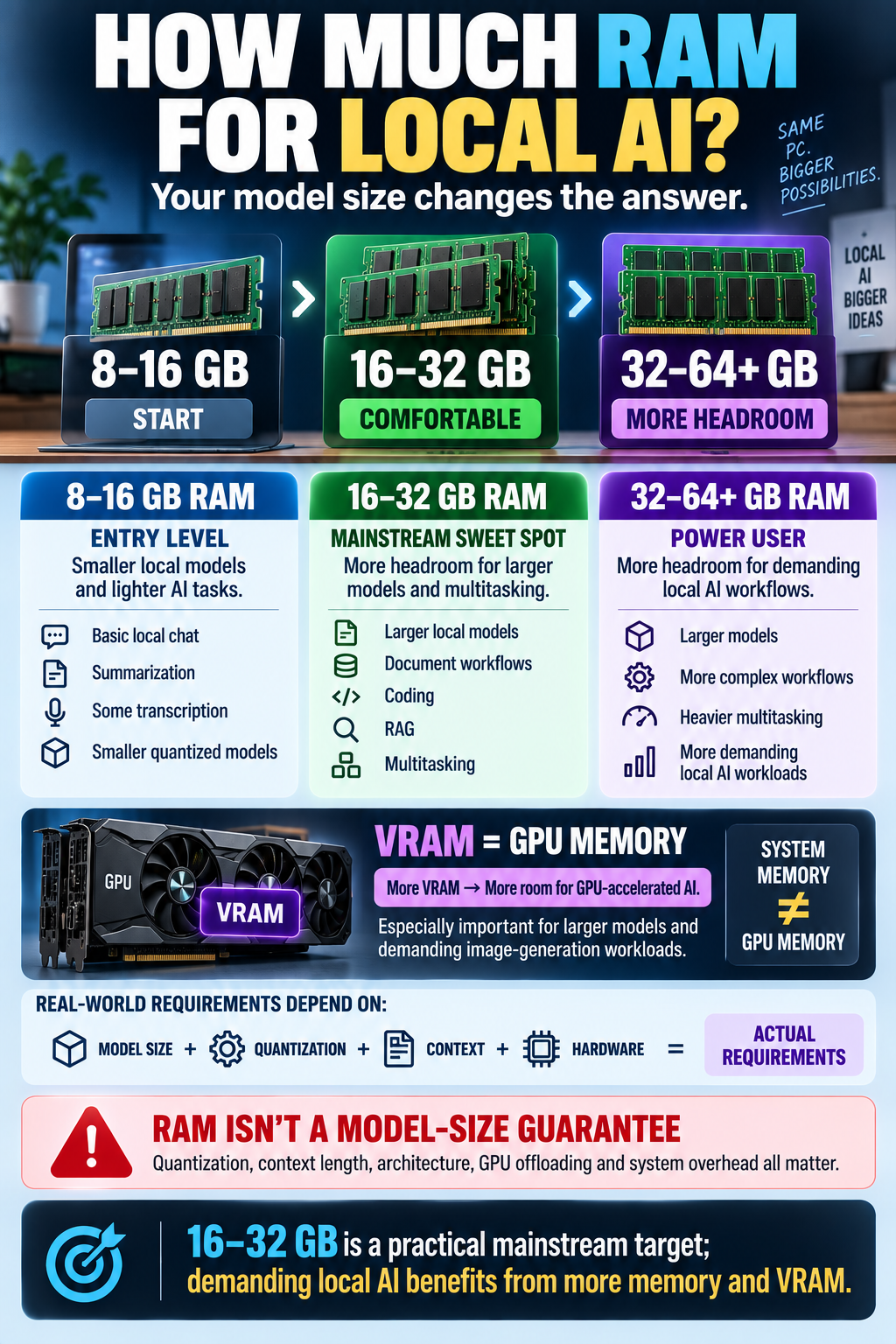
Local AI models are only as useful as the hardware they actually fit on. This guide shows how to estimate RAM and VRAM for a local AI model from two numbers: model size and quantization level.
TL;DR
- Rough rule for 2026: FP16 needs about 2 bytes per parameter, INT8 about 1 byte, INT4 about 0.5 bytes.
- Memory estimate = parameters × bytes per parameter, plus roughly 20% overhead for context and runtime.
- A 7B model needs about 4 GB at INT4 but about 14 GB at FP16 — quantization is the biggest lever.
- A 70B model needs roughly 35 GB at INT4, so it does not fit on a single 24 GB GPU.
- VRAM decides speed, RAM decides whether the model loads at all; you usually want both to be comfortable.
How to estimate memory for any local model
The math is simple and does not depend on the brand of your GPU. Take the parameter count in billions, multiply it by the bytes each parameter occupies at the chosen precision, and add overhead.
# rough estimate, in GB
bytes_per_param = {"fp16": 2, "int8": 1, "int4": 0.5}
weights_gb = params_b * bytes_per_param["int4"]
total_gb = weights_gb * 1.2 + context_overhead_gb   # ~20% + context buffer
The 20% buffer covers the KV cache, the runtime itself and the temporary buffers used while the model loads. Longer context means a bigger buffer, so treat the result as a floor, not a guarantee.
If you are still choosing what to run, our overview of the best AI models and neural networks in 2026 is a good starting point before you size the hardware.
Memory table by model size and quantization
The table below shows theoretical weight sizes only. Nothing here is a benchmark — it is arithmetic you can repeat yourself for any model.
| Model size | FP16 (~2 bytes/param) | INT8 (~1 byte/param) | INT4 (~0.5 bytes/param) |
|---|---|---|---|
| 3B | ~6 GB | ~3 GB | ~2 GB |
| 7B | ~14 GB | ~7 GB | ~4 GB |
| 13B | ~26 GB | ~13 GB | ~7 GB |
| 32B | ~64 GB | ~32 GB | ~16 GB |
| 70B | ~140 GB | ~70 GB | ~35 GB |
Add roughly 20% on top of any number in this table, then add the context buffer. That is why a 7B model at INT4 feels fine on an 8 GB card, while the same model at FP16 wants a 16 GB card or more.
Quantization: why INT4 changes everything
Quantization means storing the model's weights at lower precision. FP16 keeps 16 bits per weight, INT8 keeps 8 bits, and INT4 keeps about 4 bits.
Each step down roughly halves the memory. Moving from FP16 to INT4 shrinks the weights about four times, which turns a model that needs a workstation into one that runs on a consumer GPU.
The trade-off is quality, and it grows with the compression ratio. INT8 is usually close to the
Deep dive
🤖 AI summary
- Updated: 2026-10-06
- Topics: RAM для LLM, VRAM для модели, квантизация GGUF, требования локальной модели
- Summary: Таблица требований к памяти для локальных моделей от 7B до 125B по квантизациям Q4/Q5/Q8 и советы по выбору железа.
- Key facts:
- Local AI models are only as useful as the hardware they actually fit on.
- This guide shows how to estimate RAM and VRAM for a local AI model from two numbers: model size and quantization level.
- TL;DR Rough rule for 2026: FP16 needs about 2 bytes per parameter, INT8 about 1 byte, INT4 about 0.5 bytes.
- Memory estimate = parameters × bytes per parameter, plus roughly 20% overhead for context and runtime.
- A 7B model needs about 4 GB at INT4 but about 14 GB at FP16 — quantization is the biggest lever.
- A 70B model needs roughly 35 GB at INT4, so it does not fit on a single 24 GB GPU.