MCP explained: what it is and how to connect your first MCP server
Requirements and Preparation
This guide explains what MCP (Model Context Protocol) is and how to connect your first MCP server using examples from the current ecosystem: Pony for Android control, shipstores for app-store publishing, and magaza-mcp for a Turkish-language dual-store setup. It is designed for anyone using an MCP-capable AI agent who wants to give that agent access to a device or external service.
- [ ] Choose an AI "brain": Claude, Grok, Gemini, or any other MCP agent
- [ ] Choose an MCP "hands": a server that actually performs actions
- [ ] Have the target device or account ready (Android phone, App Store Connect, Google Play Console)
- [ ] Install an MCP client that can launch and connect to MCP servers
- [ ] Prepare credentials for external services (store accounts, device permissions)
- [ ] Understand the security trade-off: you are giving an AI agent direct access
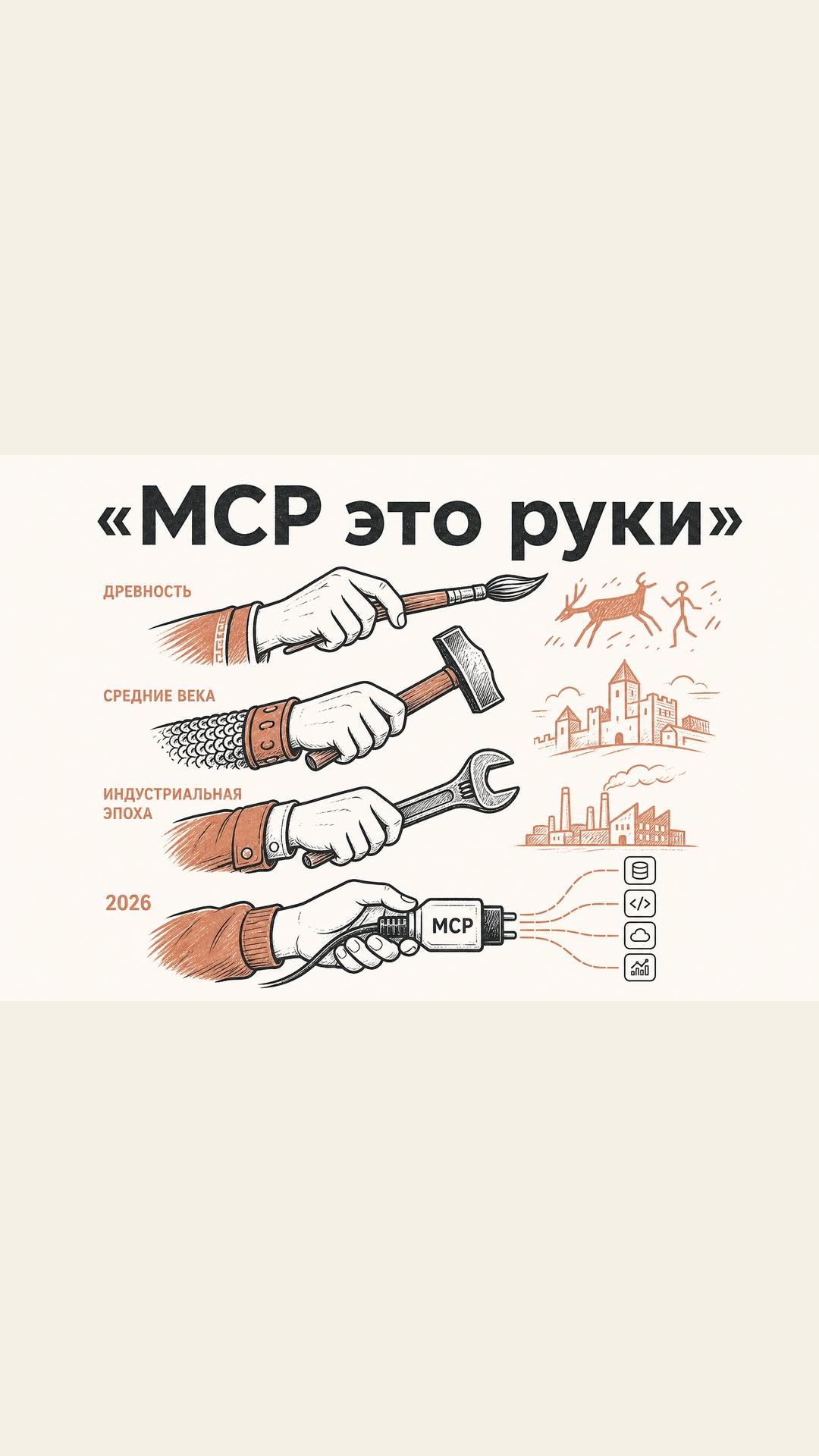
The main idea comes from the Pony project: “Pony is the hands, you pick the brain.” The model decides what to do, but the MCP server executes it on your device.
Step-by-Step Guide
1. **Pick your brain.**
Start with a model that supports MCP agents. The Pony project explicitly works with Claude, Grok, Gemini, or any MCP agent. Your choice of model defines how smart the agent is, while the server defines what it can touch. For broader model comparisons, see Best AI models and neural networks in 2026.
2. **Pick your hands.**
Decide which MCP server solves your problem:
- **Pony** — gives an Android phone to AI agents as a remote control.
- **shipstores** — connects App Store Connect, Google Play Console, and Expo EAS, so the agent can build and publish iOS and Android apps.
- **magaza-mcp** — one MCP server for two stores, App Store Connect and Google Play, with the entire interface in Turkish.
3. **Install the MCP server on the target side.**
For Pony, this means running the server on your Android device. For shipstores or magaza-mcp, you need a machine that can reach your app-store accounts. Expected result: the server is running and waiting for a connection.
4. **Register the server in your MCP client.**
Open the configuration section of your AI client and add the MCP server address or startup command. Expected result: your client discovers the server and shows a list of available tools.
5. **Grant permissions.**
For Pony, the phone needs accessibility or similar device-level access. For shipstores and magaza-mcp, connect your App Store Connect and Google Play Console accounts and issue the required API keys. Expected result: the agent can call actions like checking drafts, sending builds, or performing a device action.
6. **Run a small test.**
Send a simple instruction, for example: “Open the camera” or “Check the latest app build status.” Expected result: the agent calls the MCP server and returns a real result from the device or store. If the first test works, you have successfully connected your first MCP server.
For a guide on free ways to run AI models while testing MCP, see How to use AI models for free in 2026.
Possible Problems and Solutions
The AI agent does not see the MCP server.
Start the server first, then open the MCP client. A server that starts after the client is often not detected. Restart both and check the configuration path.
No permissions on Android or store accounts.
Pony will not be able to act on your phone without device-level access. For shipstores and magaza-mcp, you must connect real App Store Connect and Google Play Console accounts. Missing credentials usually cause a silent failure.
The server runs but returns errors from the store.
For shipstores, verify that your account has the right access level for publishing. For magaza-mcp, remember that the user interface and messages are fully in Turkish, so a language mismatch may hide an account-local issue.
FAQ
What is MCP?
MCP (Model Context Protocol) is a way for AI assistants to work with external services. In the examples above, MCP servers let an agent use an Android phone or publish apps to App Store and Google Play.
Which AI models can work with MCP?
Claude, Grok, Gemini, or any MCP agent. You choose the brain; the MCP server supplies the hands.
Can one MCP server handle both App Store and Google Play?
Yes. shipstores connects both App Store Connect and Google Play Console, and magaza-mcp also supports both stores in one server.
Do I need a physical Android device for Pony?
The Pony project is designed to give an Android smartphone to an AI agent via MCP, so yes, a device is part of the setup.
Where can I learn more about AI agents that use MCP?
See the dedicated guide on AI agents for task automation.
🤖 AI summary
- Updated: 2026-10-07
- Topics: MCP, Model Context Protocol, MCP сервер, инструменты для агента
- Summary: Разбираем протокол Model Context Protocol: зачем он нужен, как подключить готовый MCP-сервер и дать ИИ-агенту доступ к инструментам.
- Key facts:
- Requirements and Preparation This guide explains what MCP (Model Context Protocol) is and how to connect your first MCP server using examples from the current ecosystem: Pony for Android control, shipstores for app-store publishing, and magaza-mcp for a Turkish-language dual-store setup.
- It is designed for anyone using an MCP-capable AI agent who wants to give that agent access to a device or external service.
- [ ] Choose an AI "brain": Claude, Grok, Gemini, or any other MCP agent [ ] Choose an MCP "hands": a server that actually performs actions [ ] Have the target device or account ready (Android phone, App Store Connect, Google Play Console) [ ] Install an MCP client that can launch and connect to MCP servers [ ] Prepare credentials for external services (store accounts, device permissions) [ ] Understand the security trade-off: you are giving an AI agent direct access The main idea comes from the Pony project: “Pony is the hands, you pick the brain.” The model decides what to do, but the MCP server executes it on your device.
- Step-by-Step Guide 1.
- Start with a model that supports MCP agents.
- The Pony project explicitly works with Claude, Grok, Gemini, or any MCP agent.