Claude Code for Teams: Setting Up Subagents and a Shared AI Superagent
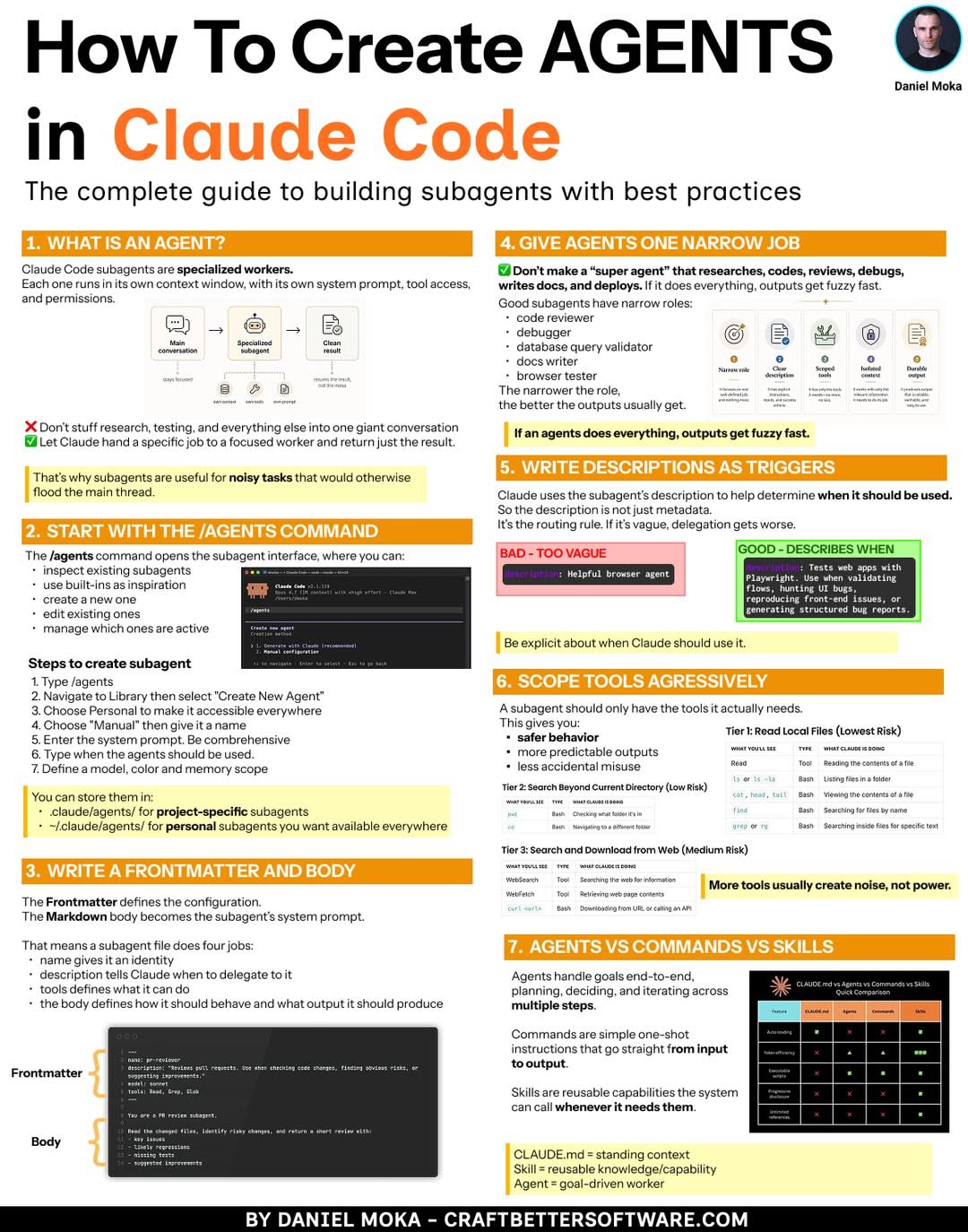
Claude Code helps teams turn one AI assistant into a coordinated group of subagents. This guide explains how to set up subagents and a shared AI superagent while keeping context, permissions, and costs under control.
TL;DR
- Subagents split work by role, so each Claude Code worker has a narrow, clear job.
- A shared AI superagent coordinates subagents and keeps team context in one place.
- Clear permissions and handoff rules matter more than raw model power.
- Start small: one repo, one superagent, and two subagents, then expand after review.
- Use a comparison guide to match each role to the right assistant: AI assistant comparison.
Why teams need subagents in Claude Code
A single assistant can get overloaded. It plans, codes, reviews, and documents in one long thread. That makes context messy and results hard to audit.
Subagents solve this by separating duties. One subagent can plan, one can write code, and one can review. Each one gets only the context it needs.
In May 2026, a practical pattern is to keep Claude Code as the main coding interface. Then add subagents for repeatable team workflows.
How to design subagent roles
Start with the work, not the model. Write down the job in one sentence. Then define what the subagent may read, change, and return.
Use this checklist:
- [ ] Define the subagent's job in one sentence.
- [ ] Give it only the tools and files it needs.
- [ ] Set a clear input format and output format.
- [ ] Decide who reviews its work before merge.
- [ ] Add a stop rule for unclear or risky tasks.
Good roles are small. Examples include planner, implementer, reviewer, and documentation writer. Avoid giving one subagent too many responsibilities.
How to set up a shared AI superagent
The shared AI superagent is the team lead. It receives a task, breaks it down, routes parts to subagents, and collects results. It also keeps shared context, such as coding standards and open decisions.
A simple team config can look like this:
team:
  superagent:
    name: team-lead
    responsibilities:
      - route tasks
      - keep shared context
      - enforce permissions
  subagents:
    - name: planner
      scope: break down tickets
    - name: coder
      scope: implement changes
    - name: reviewer
      scope: check diffs and tests
This structure is easy to audit. Each subagent has one scope. The superagent owns the handoffs. The team can change one role without rebuilding everything.
Permissions, context, and cost
Deep dive
🤖 AI summary
- Updated: 2026-10-06
- Topics: claude code субагенты, как настроить claude code, mcp для claude code, ии-агенты для команды разработки
- Summary: Пошаговый гид по настройке Claude Code для нескольких разработчиков: субагенты, MCP-серверы, общие правила и единый суперагент вместо ручной передачи задач между ИИ.
- Key facts:
- Claude Code helps teams turn one AI assistant into a coordinated group of subagents.
- This guide explains how to set up subagents and a shared AI superagent while keeping context, permissions, and costs under control.
- TL;DR Subagents split work by role, so each Claude Code worker has a narrow, clear job.
- A shared AI superagent coordinates subagents and keeps team context in one place.
- Clear permissions and handoff rules matter more than raw model power.
- Start small: one repo, one superagent, and two subagents, then expand after review.